Text, recognised right here
Searchable PDF and text extraction, with embedded models: no image is sent to a server for recognition.
ConvertAir
Documents · Android
Scan, convert, assemble, sign and recognise text in your documents, directly on your phone.
Coming soon to Android
01 · Guided tour
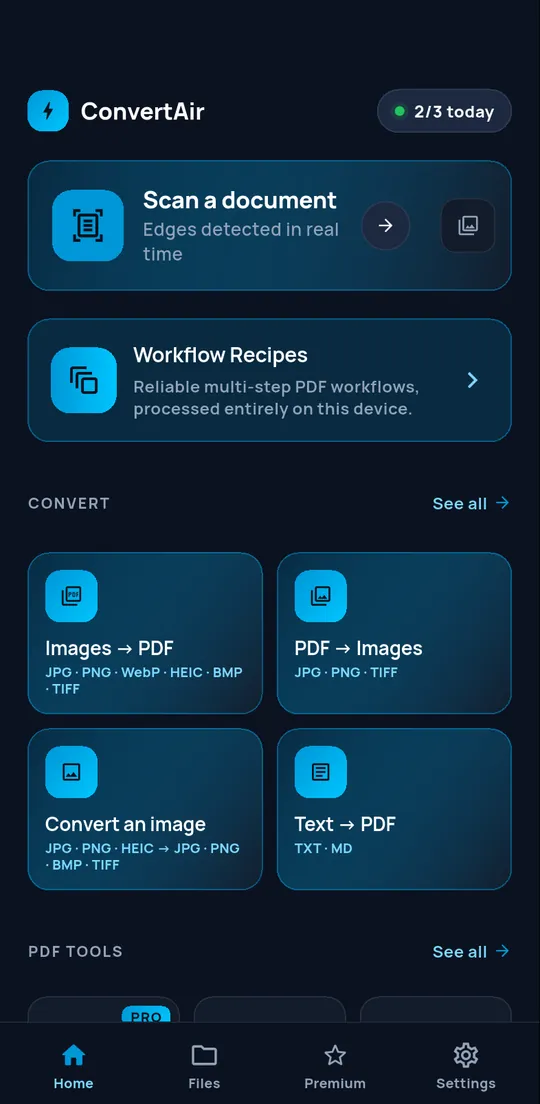
App screens rendered on a computer with demonstration data. Animations are made from these screenshots.
01 / 04
Frame it: the edges are detected in real time. From the home screen, common conversions are one gesture away — images to PDF, PDF to images, text to PDF — and workflow recipes link several on-device steps together.
02 / 04
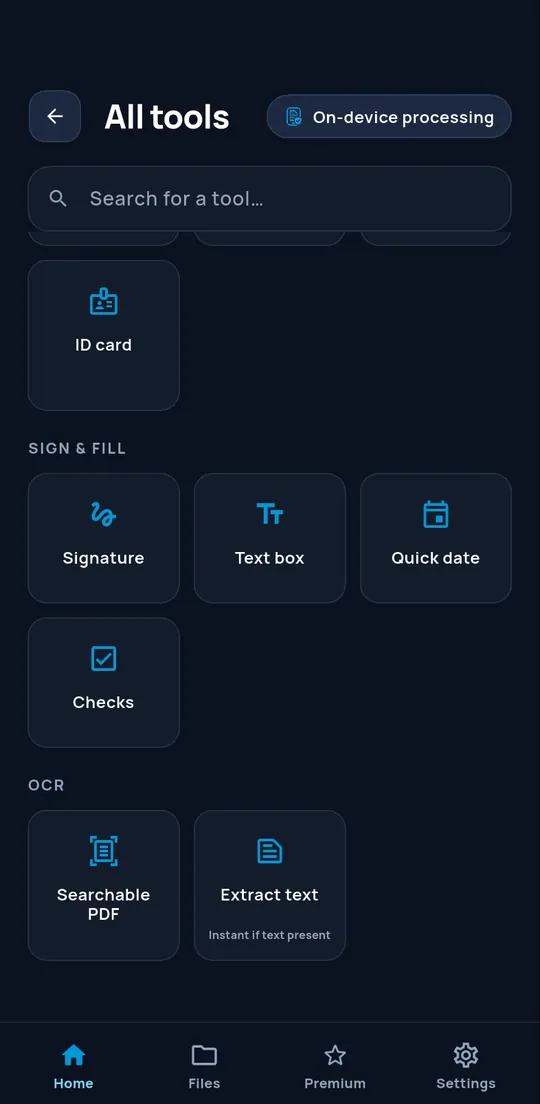
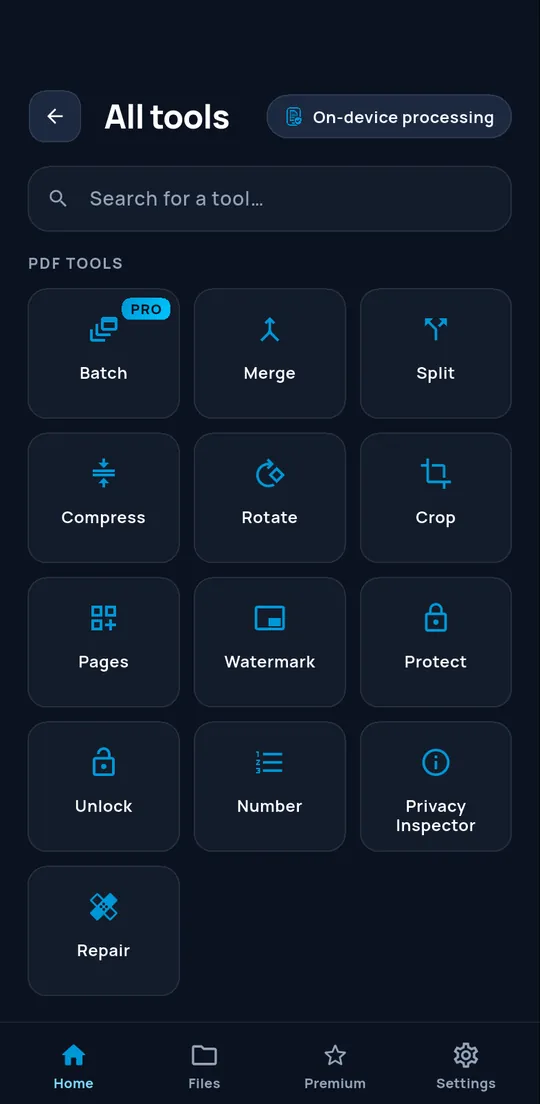
Merge, split, compress, rotate, crop, number, watermark, protect, unlock and repair. To fill in a form: signature, text box, quick date and checkmarks. Browse or search the catalogue.
03 / 04
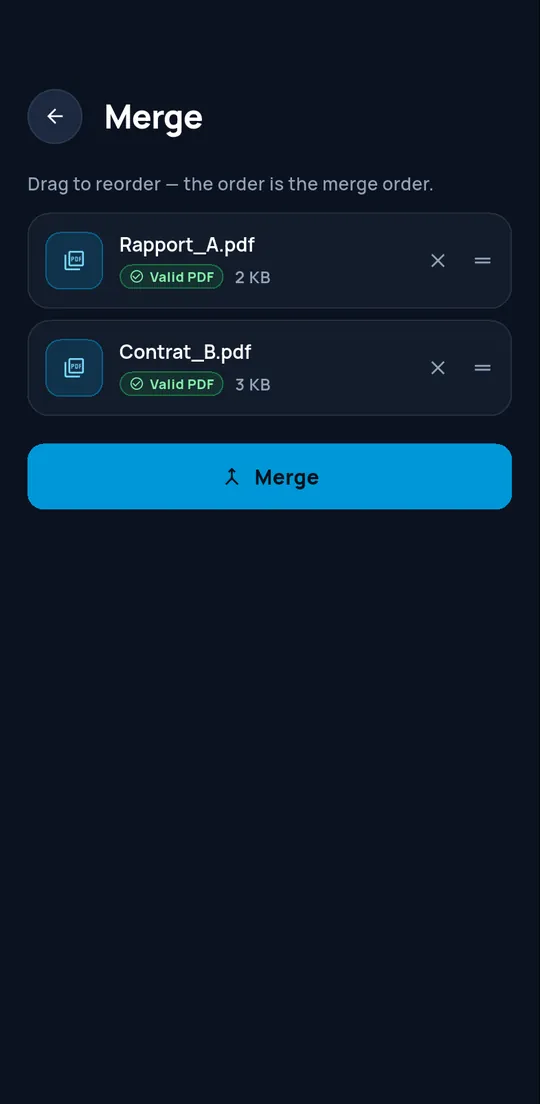
Drag to reorder: the list order is the merge order. Each file is checked before assembly.
04 / 04
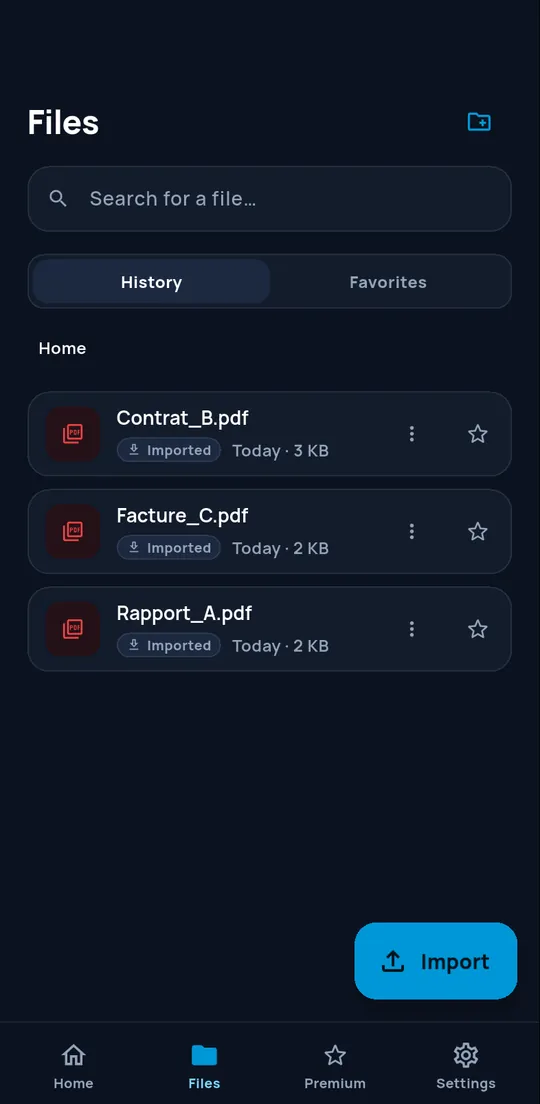
The local history keeps your recent documents, with search and favourites. It can clear itself after 30 or 90 days, depending on your setting.
02 · In motion
Hover over a card or start its animated preview.
The previews animate when they appear on screen. You can pause them.
Animations disabled: explore the screenshots at your own pace.
Searchable PDF and text extraction, with embedded models: no image is sent to a server for recognition.
Theme, language, history cleanup, and a clear explanation: your documents are processed on the device. Connections are used for purchases and optional downloads through Google Play.
Unlimited operations, watermark-free export and batch processing. Yearly or lifetime.
03 · Pricing
Premium unlocks unlimited operations, watermark-free export and batch processing.
0 €
19,99 €per year
49,99 €at launch, then 59,99 €
04 · Privacy
Scanning, conversions, signing and text recognition run on the device. BB16 Studio receives no copy.
Google Play and RevenueCat manage offers, purchases, restorations and Premium access. Checks may take place when the app starts and when you return to it, even without a purchase. After a successful result has been displayed, the official Google Play API may prompt you to leave a review. No document content passes through these processes.
No BB16 account is required. RevenueCat processes a pseudonymous identifier, technical information and purchase history to manage Premium and sales statistics. It does not receive your documents.
05 · Frequently asked questions
No. Processing runs on your phone. A file leaves ConvertAir only if you share it, save it elsewhere or print it.
Three operations per day, processed on the device with no account. Premium removes the limit and export watermark, and adds batch processing.
In Google Play, at any time. Premium access remains active until the end of the paid period. The lifetime offer is a one-time payment, with no renewal.
Document processing takes place on the device. An Internet connection is required to view current offers, purchase Premium and restore purchases. Offline Premium access relies on entitlements already recorded on this device.
The Android V1 is in preparation. The Google Play link will appear on this page as soon as it is published. An iOS version is being considered.
Rate us on the Store
ConvertAir is not yet on Google Play. The link to rate the application will appear here once it is published.