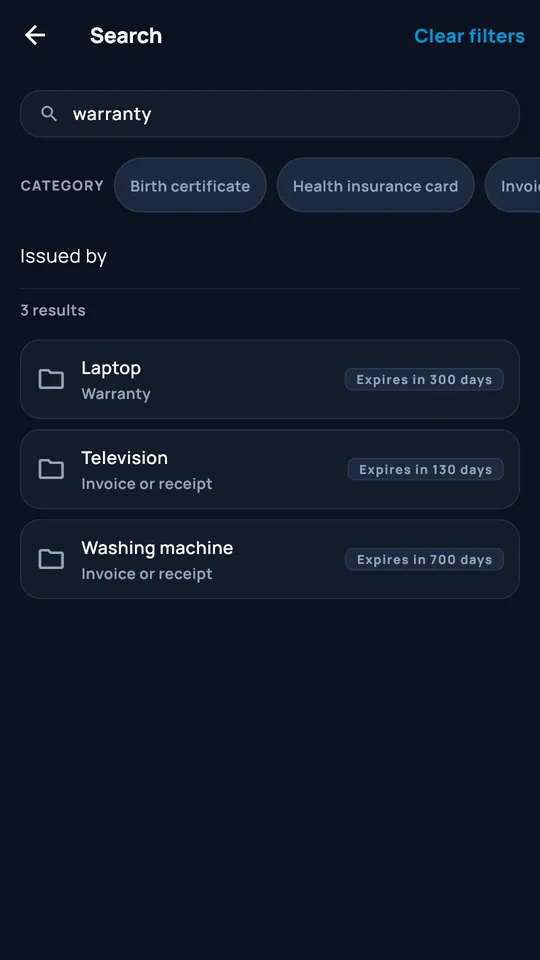
Search and filter
By word, category or issuer: find the right document in a few letters.
DocCipher
Document vault · Android
Your important documents, encrypted on your phone. No account, no document server, with a backup location you choose.
Coming soon to Android
01 · Guided tour
App screens rendered on a computer with demonstration data. Animations are made from these screenshots.
01 / 04
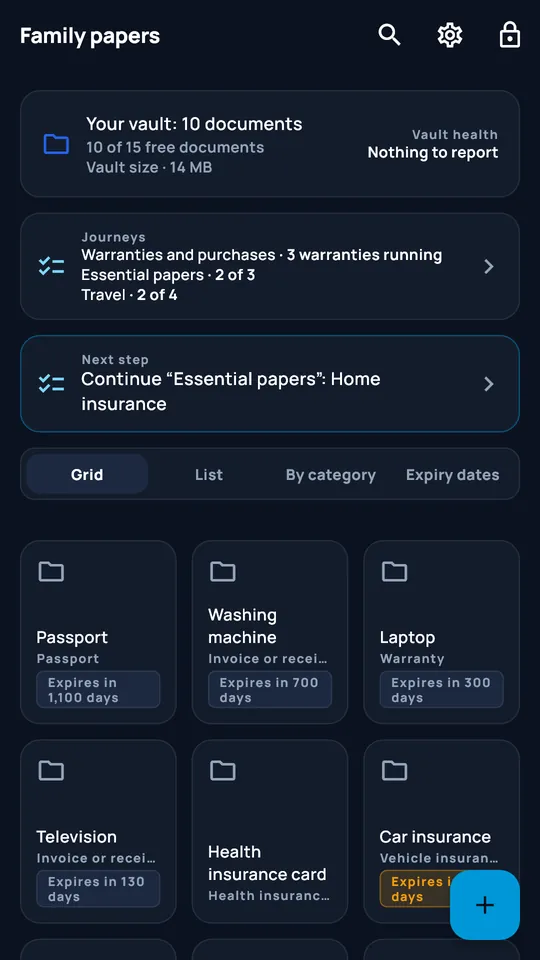
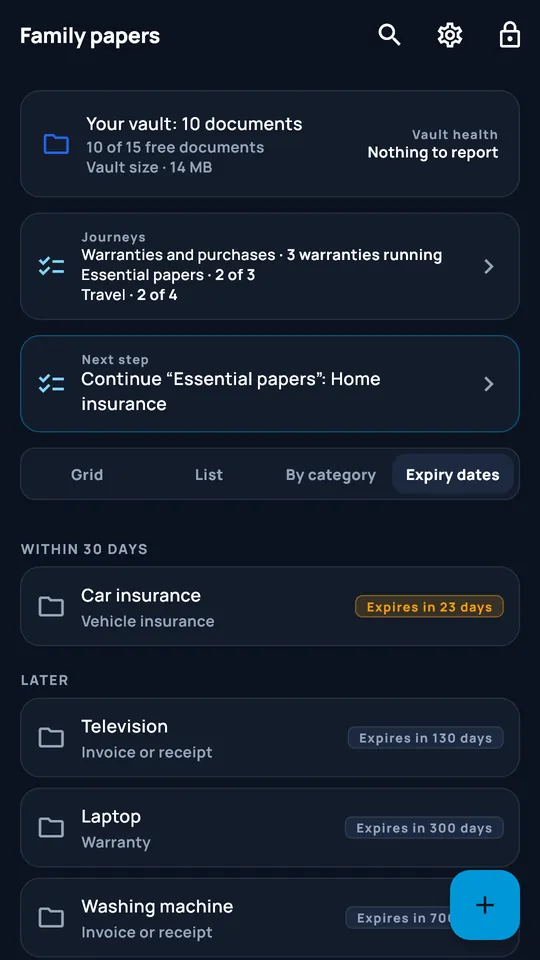
Number of documents, size, vault health and suggested next step. Grid, list, category or expiry-date views.
02 / 04
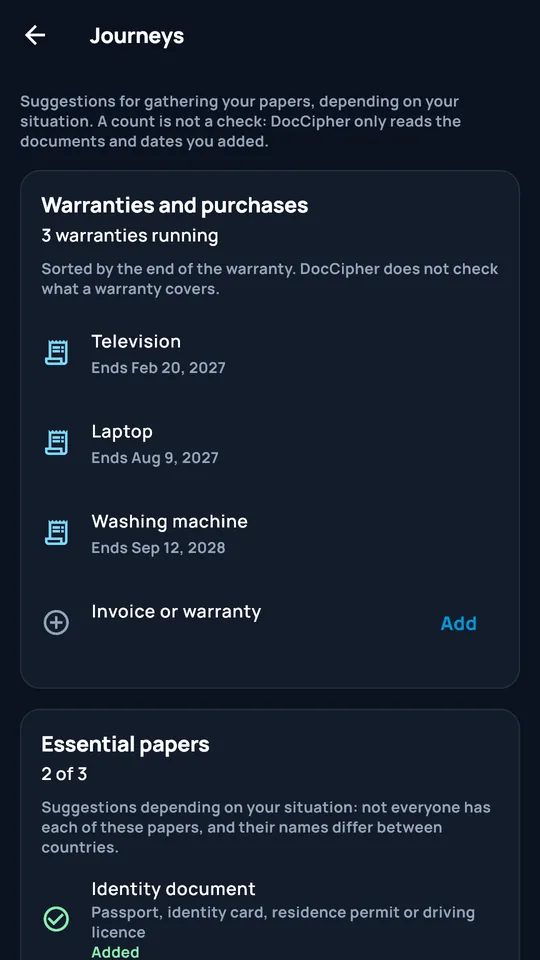
Warranties and purchases, essential documents, travel: suggestions based on your situation to help gather your documents. A counter, not a verification: DocCipher does not judge what you add.
03 / 04
Documents expiring within 30 days move to the top; the rest are sorted by date.
04 / 04
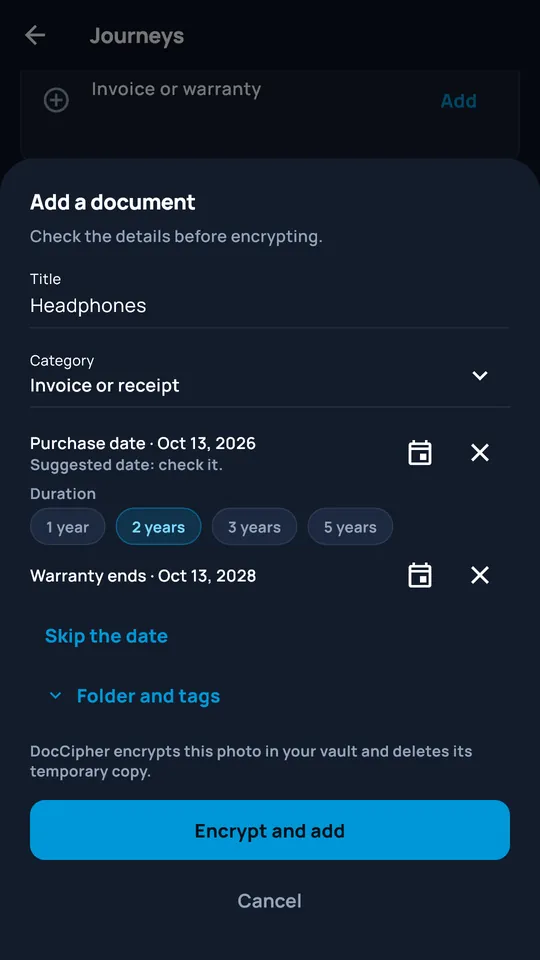
Title, category, purchase date and warranty duration: DocCipher suggests the warranty end date, encrypts the photo in your vault and deletes its temporary copy.
02 · In motion
Hover over a card or start its animated preview.
The previews animate when they appear on screen. You can pause them.
Animations disabled: explore the screenshots at your own pace.
By word, category or issuer: find the right document in a few letters.
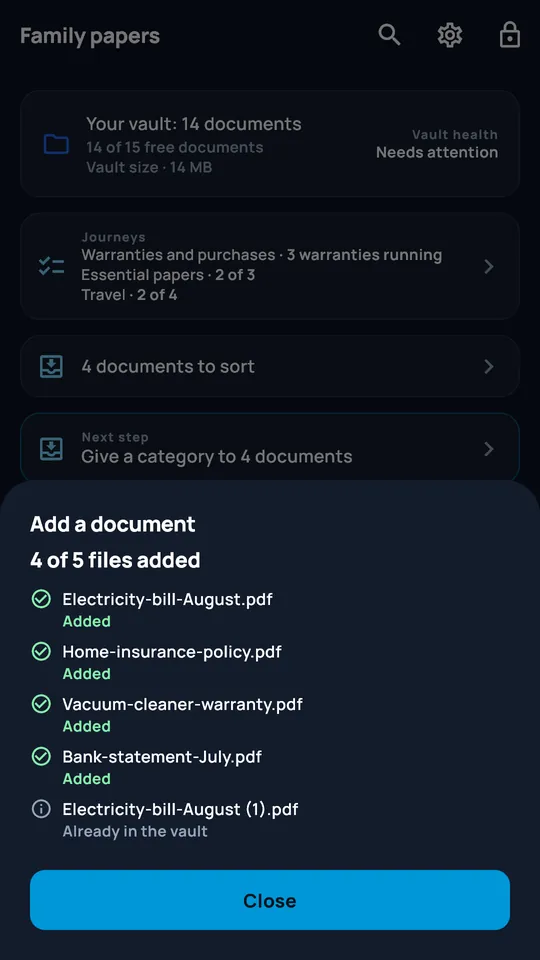
A clear summary after import: what was added and what was already in the vault.
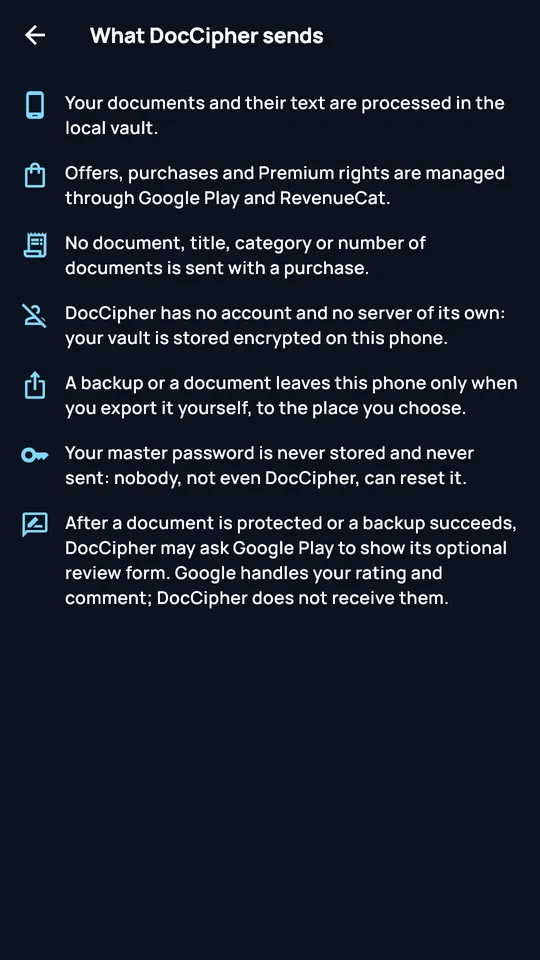
A screen explains exactly what leaves the app: no document, title, category or document count accompanies a purchase.
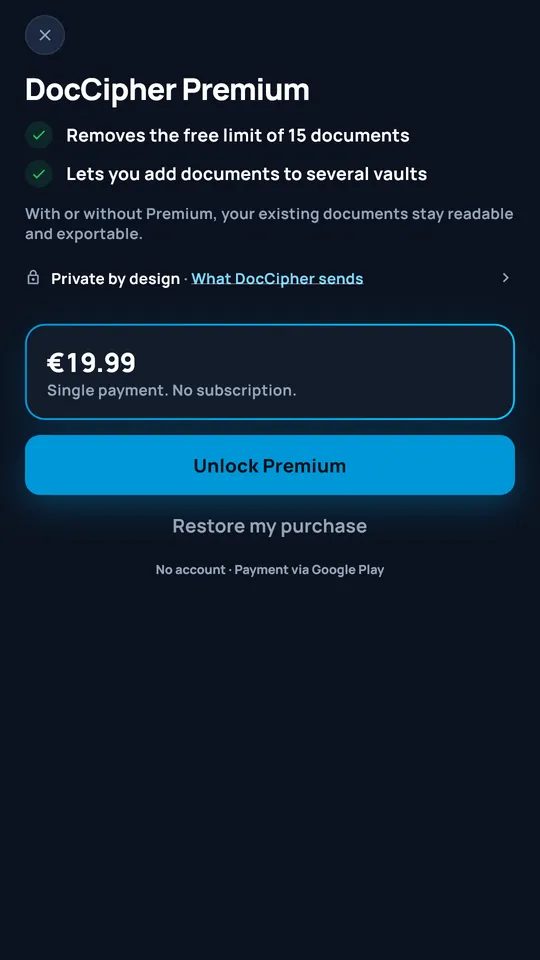
19,99 €, no subscription: the 15-document limit is removed and you can add documents to multiple vaults.
Planned from launch · included with Premium
Their local implementation is being validated. They will be offered at launch only if the required security reviews and on-device tests are conclusive. DocCipher is not yet available on Google Play.
A Premium option that you enable voluntarily with your master password, a separate PIN entered twice, two consent steps and confirmation of the irreversible action. You choose selected vaults or all vaults.
The armed PIN triggers logical deletion of the files, local keys, caches and thumbnails of the selected vaults: ‘Delete the vaults on this device. Your external backups are not deleted.’ Only the exact entry of the armed panic PIN triggers this action. The operation does not promise physical erasure of the phone's storage.
A separate local vault, with its own PIN, keys and content, to open if someone is looking over your shoulder or asks you to open the application.
The feature is documented publicly: it protects against casual observation, but does not guarantee that an observer is unaware of its existence or that device analysis cannot distinguish it.
03 · Pricing
One purchase, forever. No subscription.
0 €
19,99 €one-time payment
04 · Privacy
Documents, previews, recognised text and vault data remain encrypted in the application's private space.
BB16 Studio does not host, synchronise or back up any document. Your documents leave only through an export you initiate.
Google Play and RevenueCat manage offers, purchases, restorations and Premium access. After viewing offers or making a purchase, checks may also take place when the app is unlocked and when you return to it. No document, vault, password, PIN or key passes through these processes.
05 · Frequently asked questions
Your master password is neither stored nor sent: no one, not even BB16 Studio, can reset it. The recovery kit (phrase and QR code), which you can print or save, is provided for this purpose.
No. You export an encrypted .dcvault backup yourself to a location of your choice. WebDAV or Nextcloud synchronisation is not available in this version.
No: 19,99 € once. Without a purchase, DocCipher remains usable for up to 15 documents.
The vault runs on the device. An Internet connection is required to view current offers, purchase Premium and restore purchases. Offline Premium access relies on entitlements already recorded on this device.
No BB16 account is required. RevenueCat processes a pseudonymous identifier, technical information and purchase history to manage Premium and sales statistics. It does not receive your documents.
They are planned from launch and included in the lifetime Premium entitlement at no extra cost. Their local implementation is still being validated: they will be made available only if the required security reviews and on-device tests are conclusive.
DocCipher is coming soon to Android. It is not yet available on Google Play; the link will appear on this page after publication.
Rate us on the Store
DocCipher is not yet on Google Play. The link to rate the application will appear here once it is published.